
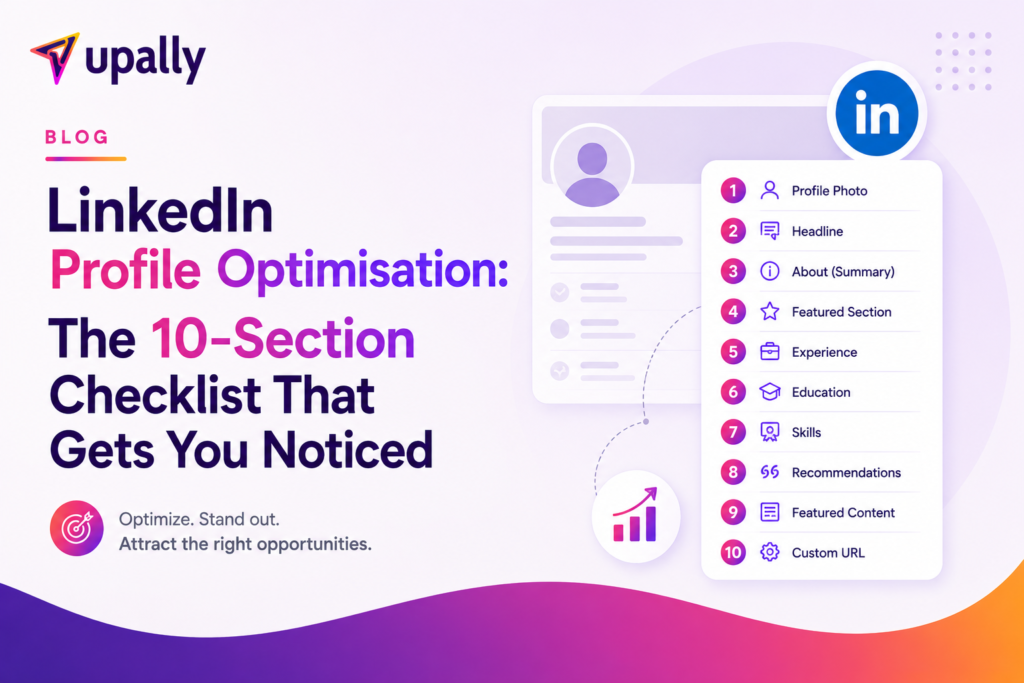
LinkedIn Profile Optimisation: The 10-Section Checklist That Gets You Noticed
Here’s a stat that should worry you: your LinkedIn profile is probably being viewed right now — by a potential client, an investor, or a hiring manager — and within 5 seconds, they’ve already decided whether to keep reading or click away.
Most profiles lose that 5-second test. Not because the person behind them lacks skill, but because the profile reads like a CV when it should work like a landing page.
This LinkedIn profile optimisation checklist walks you through all 10 sections of your profile — in the exact order visitors see them — with the formulas, examples, and fixes we use in professional profile audits. Work through it top to bottom, and by the end you’ll have a profile built to be found, trusted, and contacted.
Why 90% of LinkedIn Profiles Are Invisible
Before the checklist, understand why most profiles fail. It comes down to three gaps:
The clarity gap. A stranger lands on your profile and can’t answer three questions in 5 seconds: Who do you help? What do you do? Why should I care? Vague headlines like “Consultant | Entrepreneur | Speaker” tell the reader nothing.
The authority gap. No proof anywhere. No numbers, no results, no testimonials, no featured work. The reader has no reason to trust you over the next profile.
The conversion gap. Even interested visitors hit a dead end — no CTA, no link, no next step. Interest evaporates.
There’s also a search problem: LinkedIn is a search engine. Recruiters and buyers search by keywords, and LinkedIn ranks profiles based on keyword placement in your headline, About section, Experience titles, and Skills. That’s LinkedIn profile SEO — and if your profile isn’t optimised for the terms your ideal audience searches, you’re invisible before anyone even judges your content.
The 10-section checklist below closes all three gaps. Let’s go section by section.
Section 1: The Headline Formula That Gets Clicks
Your headline appears everywhere — search results, comments, connection requests, DMs. It’s the single most valuable line of text on your profile.
The most important of all LinkedIn headline tips: your headline is not your job title. It’s your value proposition.
The core formula:
Helping [specific audience] achieve [specific outcome] — [method or differentiator]
Examples:
- ❌ “Founder & CEO at XYZ Solutions”
- ✅ “Helping D2C brands double organic traffic in 6 months — SEO-led content systems”
- ❌ “Marketing Consultant | Growth Expert | Speaker”
- ✅ “LinkedIn lead generation for consultants — inbound clients without cold DMs”
Three more angles that work:
- Authority + specificity: “₹4Cr+ client revenue generated | SEO for healthcare brands”
- Constraint removal: “Inbound leads for founders — without paid ads or cold outreach”
- Pain-point lead: “Pipeline dried up? I help B2B founders build lead machines on LinkedIn.”
Avoid buzzwords (“passionate,” “results-driven,” “thought leader”) and vague outcomes (“helping businesses grow”). Include your primary keyword — the term your ideal client would search — because the headline carries the heaviest weight in LinkedIn search.
✅ Checklist: Names your audience · Names the outcome · Contains your searchable keyword · No buzzwords
Section 2: Banner Image — The Overlooked Real Estate
Your banner is the largest visual element on your profile, and most people waste it on the default blue gradient or a pretty skyline.
Your banner should function like a billboard with one message:
- A one-liner value proposition — your headline, simplified
- A CTA — “DM ‘AUDIT’ for a free profile review” or “Free guide → link in Featured”
- One credibility marker — “100+ founders coached” or “Featured in YourStory”
Design rules: readable on mobile (if you have to squint, the text doesn’t exist), high contrast, one message only, no clutter. A clean Canva design with a solid background beats an over-designed collage every time.
✅ Checklist: Custom banner (not default) · Value prop visible · CTA included · Readable on a phone screen
Section 3: About Section — Story, Not CV
The LinkedIn about section is where most professionals paste their resume summary. That’s a mistake — this section should read like a mini sales page with a narrative arc.
The 5-part structure:
1. The Hook (first 2–3 lines). Only these lines show before “see more” — they must earn the click. ❌ “I’m a marketing professional with 12 years of experience.” ✅ “Most founders are brilliant at what they do — and completely invisible to the people who need them most.”
2. The Problem (2–3 lines). Describe your ideal client’s pain in their words: “You’re posting on LinkedIn but getting crickets. Your referrals dried up. Cold outreach feels gross.”
3. The Bridge (3–4 lines). Who you help → what you do → how it works, at a high level. Name your framework or method if you have one.
4. The Proof (2–3 lines). Specific numbers, named results, recognisable clients or publications. Earned authority, not bragging.
5. The CTA (1–2 lines). One clear next step: DM a keyword, download a resource, or book a call. One CTA — not three.
Keep it 1,500–2,000 characters, first person, short paragraphs. And weave your keywords in naturally — the About section is your second-biggest LinkedIn SEO asset.
✅ Checklist: Hook above the fold · Client’s pain named · Method explained · Proof included · Single CTA
Section 4: Featured Section as a Lead Magnet
The Featured section is prime real estate that most profiles either leave empty or fill with random posts. Treat it as your conversion engine with a deliberate hierarchy:
Slot 1 — Proof. Your most compelling evidence: a client case study, a testimonial graphic, or your highest-performing expertise post. If someone views only one thing, it’s this.
Slot 2 — Lead magnet. A free, low-friction resource directly tied to your offer: a free audit, guide, checklist, or training. This captures visitors who aren’t ready to buy yet.
Slot 3 — Direct CTA. Your calendar link or “work with me” page — for warm visitors ready to talk.
Proof → capture → convert. Remove anything that doesn’t serve your current offer — old posts and outdated lead magnets dilute the message.
✅ Checklist: Slot 1 = proof · Slot 2 = lead magnet · Slot 3 = booking link · Nothing outdated
Sections 5–10: The Supporting Cast
These six sections won’t win a visitor on their own — but any one of them can quietly lose one.
Section 5: Experience
LinkedIn isn’t a resume. Keep the 2–4 roles that support your current positioning, and write an outcome-focused description for your current role: who you help, what you deliver, proof of results. Remove or condense old jobs and side projects that confuse the message. Put keywords in your role titles where honest — they’re indexed by search.
Section 6: Skills
Pin the top 3 skills that match what you want to be found for — they carry search weight. Delete legacy skills from a previous career; 40 scattered endorsements for irrelevant skills dilute your LinkedIn profile SEO.
Section 7: Recommendations
Text testimonials from clients and colleagues are the most under-used trust asset on LinkedIn. Aim for 3–5 recent, specific recommendations. The easiest way to get them: give one first, then ask. Guide the writer — “Could you mention the result we achieved together?”
Section 8: Creator Mode & Profile Settings
If you publish content, turn on Creator Mode: it changes your primary button to “Follow,” displays your hashtag topics, and unlocks LinkedIn’s creator tools. Set a custom profile URL (linkedin.com/in/yourname), and set your profile to public so non-logged-in visitors and Google can see it.
Section 9: Profile Photo
High resolution, good lighting, face taking up ~60% of the frame, friendly and professional. No logos, no group crops, no sunglasses. Profiles with quality photos get dramatically more views and connection acceptances.
Section 10: Services Page & Contact Info
If you offer services, activate the Services page and write it in the same language as your headline and About — solution-focused, not generic (“LinkedIn lead generation for consultants,” not “marketing help”). Few people know you can add up to 8 testimonials to your Services page. Finally, check your contact info: working website link, current email.
The Free Checklist Summary
Run your profile against all 10 in one sitting — it takes about 90 minutes:
- Headline — audience + outcome + keyword, no buzzwords
- Banner — value prop + CTA + proof, mobile-readable
- About — hook, problem, bridge, proof, one CTA
- Featured — proof → lead magnet → booking link
- Experience — 2–4 relevant roles, outcome-focused descriptions
- Skills — top 3 pinned to match your positioning
- Recommendations — 3–5 recent and specific
- Creator Mode — on (if you post) + custom URL + public profile
- Photo — professional, well-lit, 60% face
- Services & Contact — aligned language, testimonials added, links working
The final test for every section: if your ideal client landed here, would they immediately understand who you help, what you do, and why they should reach out? If any section fails that test, fix it before you spend another rupee or hour on content — because every post you publish sends traffic back to this profile.
To optimise your LinkedIn profile in 2026, remember the sequencing: profile first, content second, outreach third. A great profile multiplies everything else; a weak one silently kills it. And once your profile converts, consistent LinkedIn management — content, engagement, and DM follow-up — is what turns that visibility into pipeline, as part of a broader personal branding strategy.
Get Your LinkedIn Profile Audited — Free
Not sure how your profile scores? We’ll audit it for you.
At Upally, we review your profile against this exact checklist and send you a section-by-section scorecard: what’s working, what’s costing you leads, and the top 3 fixes to make this week.
👉 Get Your LinkedIn Profile Audited Free — DM “AUDIT” to us on LinkedIn and we’ll take it from there.
FAQs
Q1. How do I optimise my LinkedIn profile in 2026? Work through the 10 sections in order: headline, banner, About, Featured, Experience, Skills, Recommendations, Creator Mode, photo, and Services page. Prioritise clarity (who you help), authority (proof), and conversion (a clear CTA in your About, banner, and Featured sections).
Q2. What should a LinkedIn headline include? Your headline should name your specific audience, the outcome you deliver, and ideally the keyword your ideal client searches for — e.g., “Helping D2C brands double organic traffic in 6 months.” Avoid job titles alone and buzzwords like “passionate” or “results-driven.”
Q3. How long should a LinkedIn About section be? Aim for 1,500–2,000 characters. Structure it as: hook (first 2–3 lines), your client’s problem, your approach, proof, and a single CTA. Write in first person with short paragraphs.
Q4. Does LinkedIn profile SEO really matter? Yes. LinkedIn is a search engine — recruiters and buyers search by keywords, and LinkedIn ranks profiles based on keywords in the headline, About section, Experience titles, and Skills. Optimised profiles appear in far more searches.
Q5. How often should I update my LinkedIn profile? Review it quarterly, or whenever your offer, positioning, or role changes. Your Featured section should be refreshed more often — swap in recent proof, high-performing posts, and current lead magnets.
